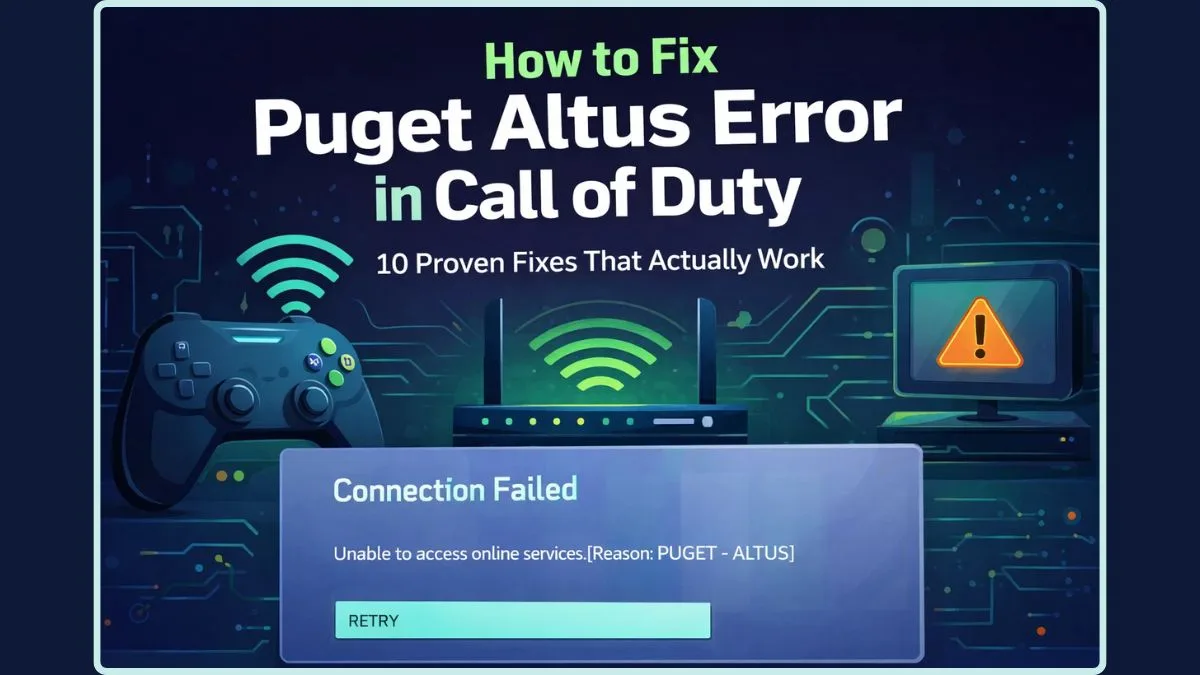
Puget Altus Error Explained: Why Call of Duty Can't Connect
Imagine gearing up for a thrilling Call of Duty match, ready to drop into the action with your squad, only to be met by a frustrating, seemingly cryptic message: “Unable to access online services. (Reason: PUGET – ALTUS)”. If this scenario sounds all too familiar, rest assured, you are far from alone. The Puget Altus Error in Call of Duty is a widespread connection roadblock that has baffled and sidelined countless players across various platforms, from PlayStation and Xbox to PC.
This specific Call of Duty error often strikes without warning, appearing even when your console dashboard looks perfectly normal and your internet connection is otherwise performing flawlessly for other applications. It can abruptly halt your gaming session, leaving you wondering what went wrong. The good news? This issue is typically temporary, and more often than not, it isn't a result of user error. You haven't broken your game or console; instead, it points to a hiccup in the complex dance between your gaming system and Activision's robust online infrastructure.
What Exactly is the Puget Altus Error in Call of Duty?
To effectively navigate and troubleshoot any problem, understanding its core meaning is paramount. When you encounter the Puget Altus message, it signifies one critical thing: your console or PC was unable to establish a secure, authenticated connection with the Activision servers at that precise moment. Think of it as a digital handshake that failed to complete successfully.
It’s important to clarify what this error does not automatically indicate. It does not mean your account has been banned, your hardware has permanently failed, or that the game servers have completely crashed globally. Instead, it suggests a temporary disruption in the communication flow. Picture trying to enter a large, popular stadium: the doors are functional, and the stadium itself is operational, but the security checkpoints are momentarily overwhelmed or experiencing a minor glitch, preventing you from immediately passing through.
The Call of Duty Puget Altus error typically points to one of three specific triggers:
- A Temporary Service Interruption: The game's login backend or a specific server gateway is momentarily overwhelmed or undergoing a minor blip.
- A Session or Authentication Problem: Your digital handshake with your platform's network (PlayStation Network, Xbox Live, or Battle.net/Steam) has failed to sync properly with Activision's servers.
- A Delayed or Blocked Request: Your local network sent the connection prompt, but the Activision server never received it clearly, or the response was delayed beyond an acceptable threshold.
Players might experience this connection error in different ways: before the main menu loads, right after clicking "Multiplayer," or repeatedly even after restarting the game. While this inconsistency can be confusing, it ultimately helps us narrow down the potential causes and approach a solution.
Why You're Encountering the Puget Altus Error: Common Triggers Explored
Based on extensive player reports and technical analysis, the Puget Altus error usually stems from one or more of these prevalent issues:
Partial Outages and Server Capacity Issues
Activision's servers, while powerful, are not immune to the demands of millions of concurrent players. Sometimes, the backend experiences congestion or partial service degradation. Even if the servers appear fully online according to official status pages, specific login gateways or regional nodes may temporarily fail. This is particularly common during peak hours, immediately following a major new season update, or after a significant game patch. The sheer volume of players attempting to log in simultaneously can trigger unexpected capacity constraints, leading to a cascade of connection failures like the Puget Altus error.
Consider the release of a highly anticipated new season or a major in-game event. The sudden, massive influx of players can strain server resources, causing temporary bottlenecks. Your connection attempt might simply be one of many millions that the system struggles to process efficiently, resulting in the "unable to access online services" message.
Authentication and Account Sync Problems
Your journey into a Call of Duty match isn't just about connecting to Activision; it first involves establishing a secure link with your primary gaming platform's network – be it PlayStation Network (PSN), Xbox Network, or PC platforms like Battle.net or Steam. If this secure connection becomes unstable or fails to sync properly with Activision's servers, the Call of Duty game servers will reject your login attempt. This can occur even when your internet connection is otherwise perfectly functional.
A common scenario for this is after leaving your console in “Rest Mode” for an extended period. While convenient, Rest Mode doesn't always maintain a perfectly fresh authentication token with your platform's network. When you wake the console and launch Call of Duty, that stale token can cause a failure in the digital handshake, triggering the Puget Altus error. Similarly, any instability in your platform's network itself can disrupt the seamless authentication process required by Call of Duty.
Local Network Interruption or Blocked Requests
While often pointing to server-side or platform authentication issues, your own local network can sometimes contribute to the Puget Altus error. A "delayed or blocked request" means that while your router sent the connection prompt to Activision's servers, the request never reached its destination clearly or in a timely manner. This isn't necessarily a complete internet outage, but rather a specific failure in communication between your device and the game's servers.
Factors like minor router glitches, temporary interference, or even specific firewall settings on your router or PC could potentially impede the necessary data packets from reaching Activision. This can manifest as an intermittent issue, where some online services work perfectly, but Call of Duty struggles to establish its particular secure connection.
Beyond the Basics: Deeper Insights into Call of Duty Connectivity
Understanding the Puget Altus error involves appreciating the multi-layered nature of online gaming connections. It's not just a direct line from your console to the game servers; there's an intricate dance happening in the background:
- The Interplay of Client, Platform, and Game Servers: When you launch Call of Duty, your gaming client (the game on your console/PC) first authenticates with your platform's online service (PSN, Xbox Live, Battle.net). Once that's established, your client then attempts to connect and authenticate with Activision's dedicated game servers. A failure at any point in this chain can prevent access to online services, often manifesting as the Puget Altus error.
- Geographic Load Balancing and Regional Impact: Activision utilizes distributed server networks to handle global traffic. This means that while the core servers might be stable, a specific regional server cluster or a particular data center experiencing localized issues could affect players in that region, even if global server status reports are green. Your connection might be routed through a server experiencing a momentary bottleneck.
- Software Conflicts and Updates: Less common but still possible, issues can arise from outdated game clients, operating system updates that interfere with network protocols, or even conflicts with third-party security software. While Puget Altus is primarily a server-side communication issue, ensuring your game and system software are up-to-date can eliminate other potential underlying causes.
Navigating the Puget Altus Error: Initial Steps and Further Support
Encountering the Puget Altus Error Call of Duty can be incredibly frustrating, especially when you're eager to play. However, armed with an understanding of its common causes, you can approach the situation with patience and a few initial troubleshooting steps. The key takeaway is that this error is usually temporary and often resolves itself with time or simple actions.
Your first logical step should always be to check the official Call of Duty server status pages and your platform's network status (PSN, Xbox Live, or Battle.net). If there's a reported outage or maintenance, patience is the best solution. Beyond that, a simple power cycle of your router and gaming device can often resolve temporary network glitches or refresh authentication tokens. Restarting the game completely can also clear up any session-specific issues.
For a detailed walkthrough of proven solutions, including specific network configurations and platform-level troubleshooting that can help you overcome the Puget Altus error and get back into the game, we highly recommend reading our in-depth guides:
- How to Fix Call of Duty's 'Puget Altus' Error: Proven Solutions
- Call of Duty Puget Altus: Troubleshoot This Temporary Server Issue
Conclusion
The Puget Altus error in Call of Duty, while vexing, is a common and usually transient issue signaling a failure to establish a secure connection with Activision's servers. It rarely indicates a problem with your game installation or hardware and is almost never a ban. By understanding the underlying causes—whether it's server congestion, authentication hiccups, or minor network interruptions—players can better manage their expectations and employ simple initial troubleshooting steps. Remember, patience is often a virtue when dealing with large-scale online service errors. By staying informed and trying basic fixes, you'll likely be back in the fight against the Puget Altus error and back in the game in no time.